how to build a website
A website is built by choosing a domain and hosting, installing a platform like WordPress, and selecting a clean, mobile-friendly design. After setup, you add main pages like Home, About, Services, and Contact. If it's an online store, you create product pages and add payment and delivery options. A good website must be fast, secure, and SEO-friendly so your business can grow online.
 admin
admin
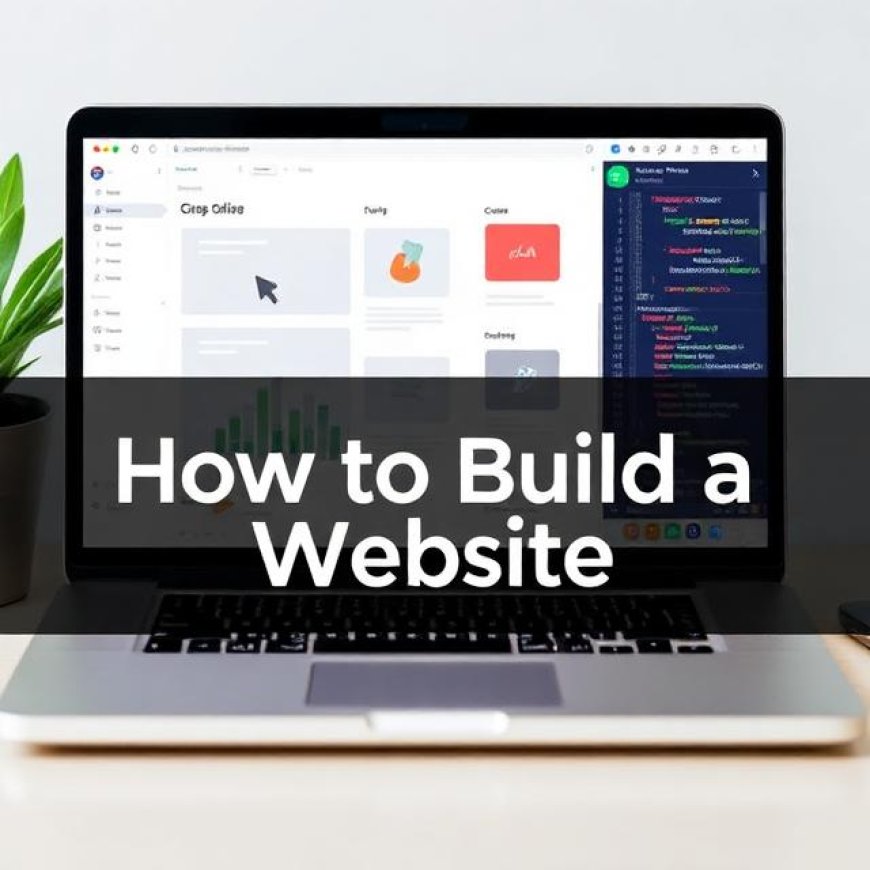
In today’s digital world, having your own website is not a luxury — it’s a basic need. Whether you run a business, want to showcase your skills, share knowledge, or sell products online, a website helps you build trust and reach more people. Many beginners ask “How to Build a Website?”, and they think it’s a technical or difficult process. But in reality, if you follow the right steps, you can easily build a professional website yourself — or get it developed by an expert.
This guide explains everything in detail:
-
What you need
-
How a website is made
-
What tools are required
-
How to create a website step-by-step
-
How to set up a website to sell products
-
And how to make your own website in a clean, beginner-friendly way.
1. Understand the Real Purpose of Your Website
Before learning how to build a website, the most important thing is to understand why you are making it.
Ask yourself:
-
Do you want a business website to promote services?
-
Do you want to create a personal blog?
-
Do you want to start an online store and sell products?
-
Are you building a portfolio to show your work?
Your purpose decides:
-
Which platform you should use
-
What design is suitable
-
What pages you will need
-
What type of content is required
2. What You Need to Build a Website (Complete Requirements)
If you are wondering how to create a website, first understand what things are required.
✔ 1. Domain Name
Domain is your website’s address. Example: tookskills.com
Choose a short, clean, memorable domain.
✔ 2. Web Hosting
Hosting is the space where your website files are stored.
Without hosting, your site cannot appear online.
Choose fast and reliable hosting because:
-
Speed affects SEO
-
Slow hosting harms ranking
-
Good hosting keeps your site secure
✔ 3. SSL Certificate
This makes your website secure (HTTPS). Google ranks secure sites higher.
✔ 4. Website Platform (CMS or Custom)
You can choose:
-
WordPress (best for most websites)
-
Shopify (best for online stores)
-
Custom Development (HTML, CSS, JS, Laravel, etc.)
✔ 5. Theme / Design Template
You need a modern, clean, mobile-friendly design.
✔ 6. Content
Every page needs text, images, and proper information.
✔ 7. Plugins / Features
For forms, SEO, security, payment systems, and more.
These 7 things complete the basic foundation of any website.
3. How to Create a Website (Step-by-Step Process)
Now let’s explain exact steps on how to make your own website:
Step 1: Choose Your Domain Name
Pick a name that:
-
Matches your brand
-
Is short and easy
-
Uses .com or .pk
A strong domain increases brand trust.
Step 2: Purchase Hosting
Choose SSD hosting with:
-
99.9% uptime
-
Fast server
-
Free SSL
-
24/7 support
Hosting decides your site’s performance.
Step 3: Install WordPress or Your Preferred Platform
Most beginners choose WordPress because:
-
No coding required
-
You can build any type of website
-
Thousands of themes and plugins available
If you’re making an online store, install WooCommerce (WordPress) or use Shopify.
Step 4: Select a Modern Theme
Your theme controls your layout and overall look.
Choose a theme that:
-
Loads fast
-
Is mobile responsive
-
Offers customization options
Popular themes:
-
Astra
-
GeneratePress
-
Kadence
-
Divi
-
Flatsome (for e-commerce)
Step 5: Add Essential Pages
No matter what kind of site you build, these pages are must:
✔ Home Page
Introduce your business, services, and main call-to-action.
✔ About Page
Share your story, mission, experience, and business background.
✔ Services / Products Page
Explain what you offer clearly.
✔ Contact Page
Add WhatsApp, phone, email, and contact form.
✔ Privacy Policy / Terms
Important for trust and Google ranking.
4. How Do You Create a Website That Looks Professional?
A professional site must have:
✔ Clean design
✔ Easy navigation
✔ High-quality images
✔ Fast loading speed
✔ Proper fonts & color consistency
✔ Strong on-page SEO
Most beginners ignore design structure. But Google and users both prefer a clean interface.
5. Add Features Using Plugins (Only for WordPress)
Some important plugins:
-
RankMath / Yoast SEO
-
Contact Form 7
-
LiteSpeed Cache
-
SiteKit by Google
-
WooCommerce (for online stores)
Plugins help add extra functionality without coding.
6. How to Set Up a Website to Sell Products (E-Commerce Guide)
If your purpose is selling products, here is how to set up a website to sell products properly:
✔ Step 1: Choose Shopify or WordPress (WooCommerce)
Shopify is easier, WooCommerce is more customizable.
✔ Step 2: Add Product Categories
For example:
-
Clothing
-
Electronics
-
Beauty
-
Accessories
✔ Step 3: Add Product Pages
Include:
-
Title
-
Images
-
Description
-
Price
-
Variations (size, color)
✔ Step 4: Set Up Payment Gateways
Options:
-
Cash on Delivery
-
JazzCash
-
EasyPaisa
-
Bank Transfer
-
Card payments (Stripe/PayPal internationally)
✔ Step 5: Set Up Delivery Methods
Add shipping charges or free delivery options.
✔ Step 6: Install Security + Backup System
E-commerce sites must be secure.
7. SEO Optimization – Rank Your Website on Google
To rank your site, follow these steps:
✔ Write unique, valuable content
✔ Use your keywords naturally
✔ Create internal linking
✔ Add meta titles & descriptions
✔ Use fast hosting
✔ Optimize images
✔ Build backlinks over time
Good SEO brings consistent traffic.
8. Final Checklist Before Launch
Before publishing your website, make sure:
-
Mobile responsive? ✔
-
Speed above 90? ✔
-
All pages working? ✔
-
Contact forms working? ✔
-
SSL active? ✔
-
No spelling/grammar issues? ✔
After this, your website is ready.
Conclusion: Building a Website Is Easy If You Follow the Right Path
Whether you are learning how to build a website,
or want to understand how to create a website,
or asking how do you create a website in the simplest way…
The full process becomes easy when you follow clear steps:
Domain → Hosting → Platform → Design → Content → SEO → Launch
And if your goal is how to set up a website to sell products, you can easily build an online store using WooCommerce or Shopify.
If you ever need help, Tookskills can build a professional website for you — business site, e-commerce, portfolio, or custom project — completely tailored to your brand.